
Availability: Standard and Above Plans
You can offer customers an optional Setup & Tear Down service for items such as chairs or tables.
There are two ways to configure this fee:
- Per-item fee: Charge based on the quantity rented, such as $1 per chair.
- Flat-rate fee: Charge one set amount for the service, regardless of how many chairs are rented.
The setup is similar for both options, with one important difference when configuring the Add-On.
Step 1: Create the Setup & Tear Down Items
-
Navigate to:
-
Admin > Products > Items
-
Click Add New.
-
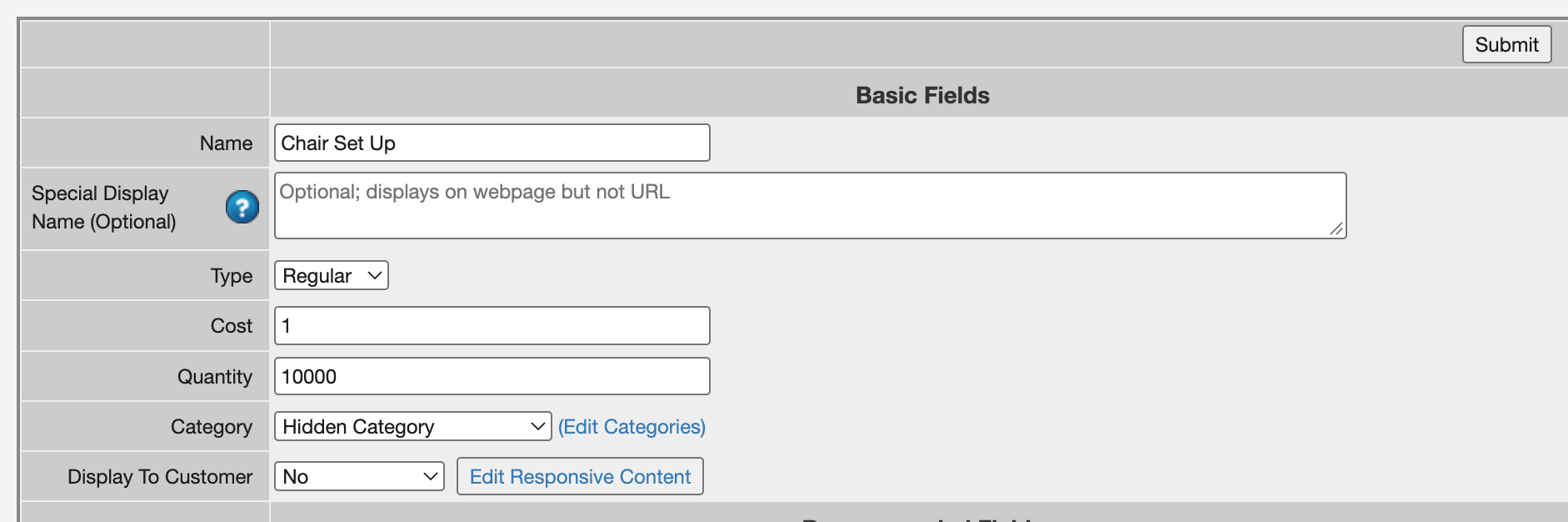
Create an inventory item for your Setup & Tear Down service and complete the basic fields.
-
For example:
-
Name: Chair Setup & Tear Down
Type: Regular
Cost: Enter your per-item price, such as $1.00
Qty: Enter a large quantity, such as 10,000
Display to Customer: No -
Category: Hidden
-
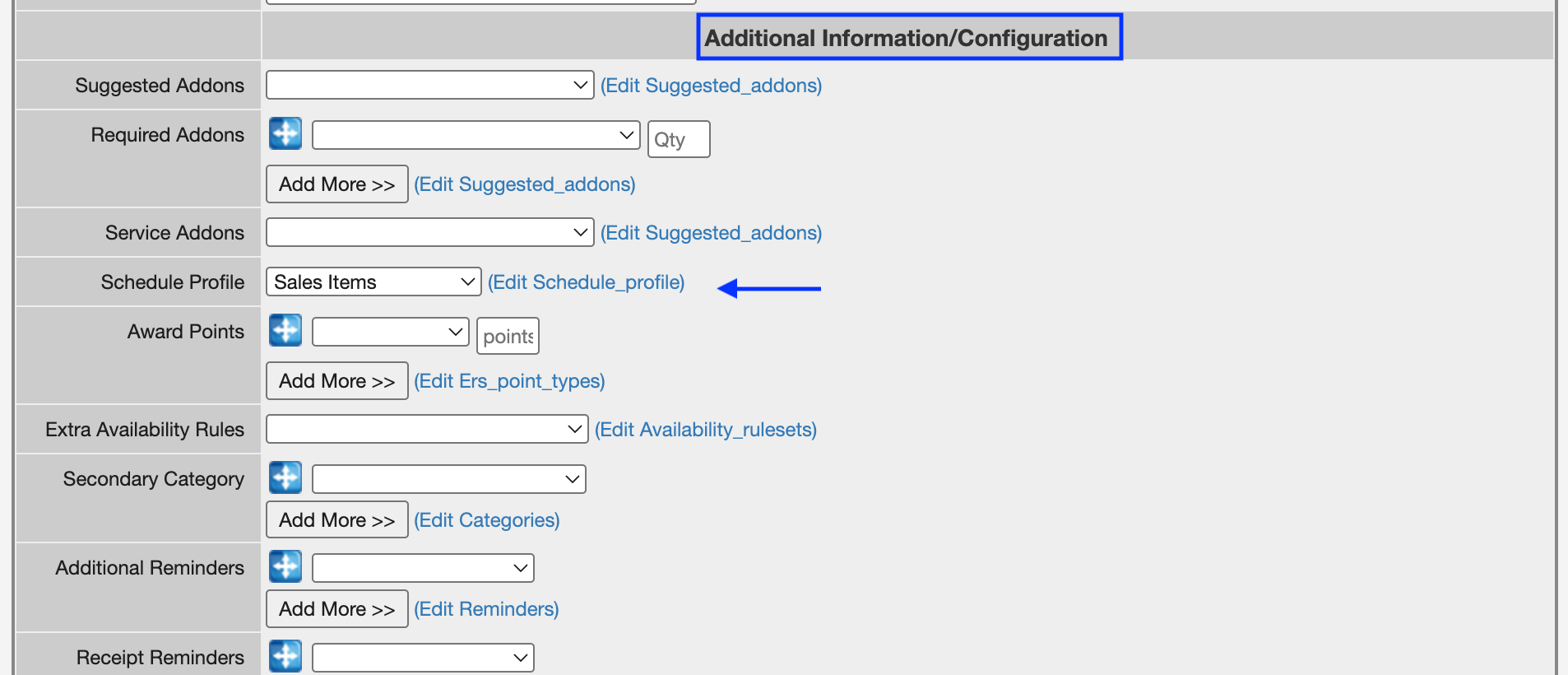
Schedule Profile: Sales
Important: Use the Sales Schedule Profile so the price of the service does not increase based on the duration of the rental
-
Once the item has been created, locate it in your inventory list. Click the Copy button on the right-hand side of the item, next to the trash can icon.

-
Rename the copied item:
No Thank You -
Change the Cost to $0.00 and save the item.
-
You should now have two items:
-
Chair Setup & Tear Down — your service item
No Thank You — the customer's option to decline the service
Step 2: Create the Add-On
-
Navigate to:
-
Admin > Products > Add-Ons
-
Click Add New.
-
Give your Add-On a clear name, such as:
-
Chair Setup & Tear Down
-
Next, enter a description that explains the service to your customer.
-
For a flat-rate fee, you could use:
-
Would you like our team to help set up and take down your chairs for your event?
-
For a per-chair fee, include the price in the description so the customer knows the service is charged for each chair:
-
For $1 per chair, would you like our team to help set up and take down your chairs for your event?
Add the Item Options
-
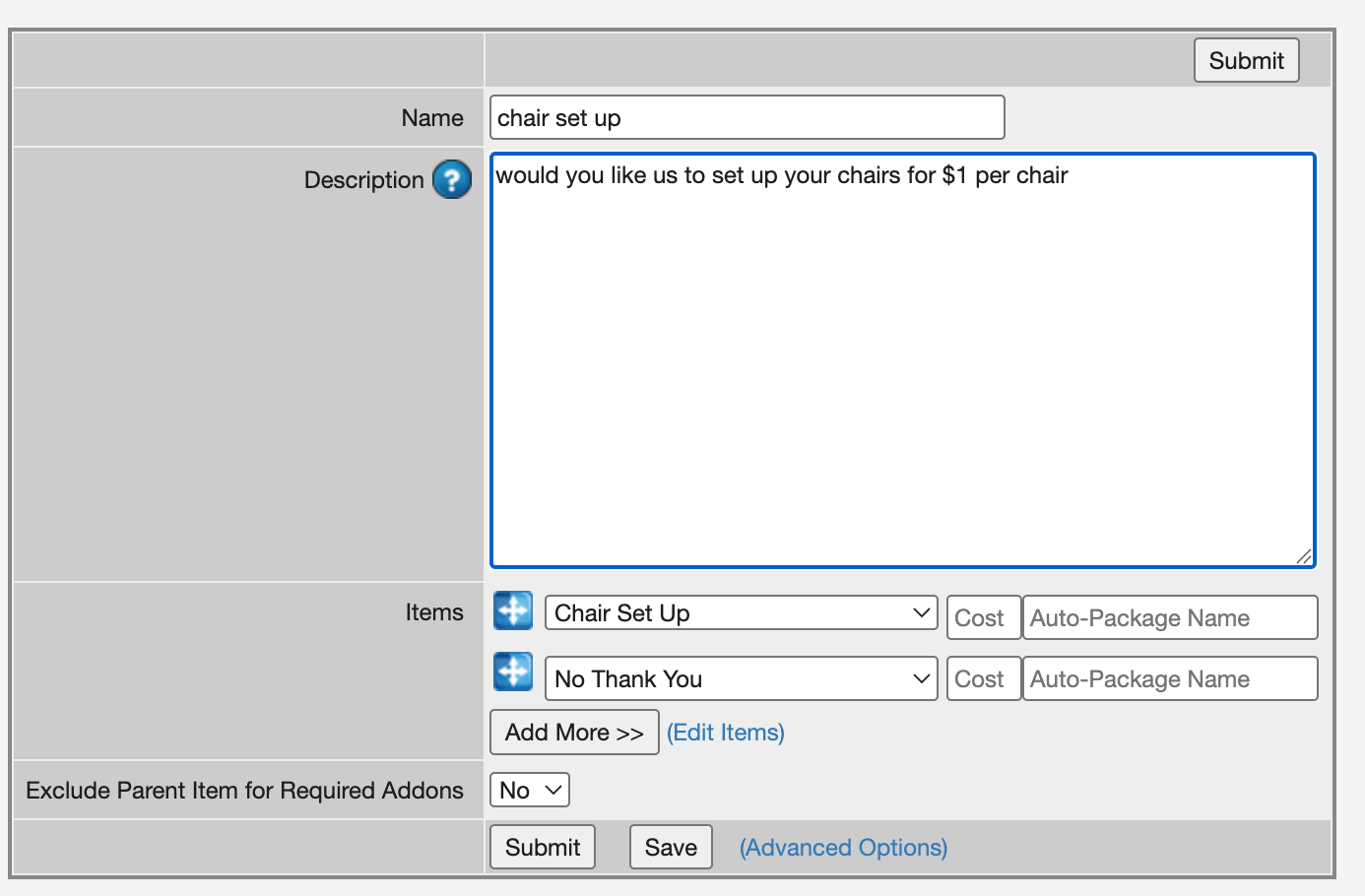
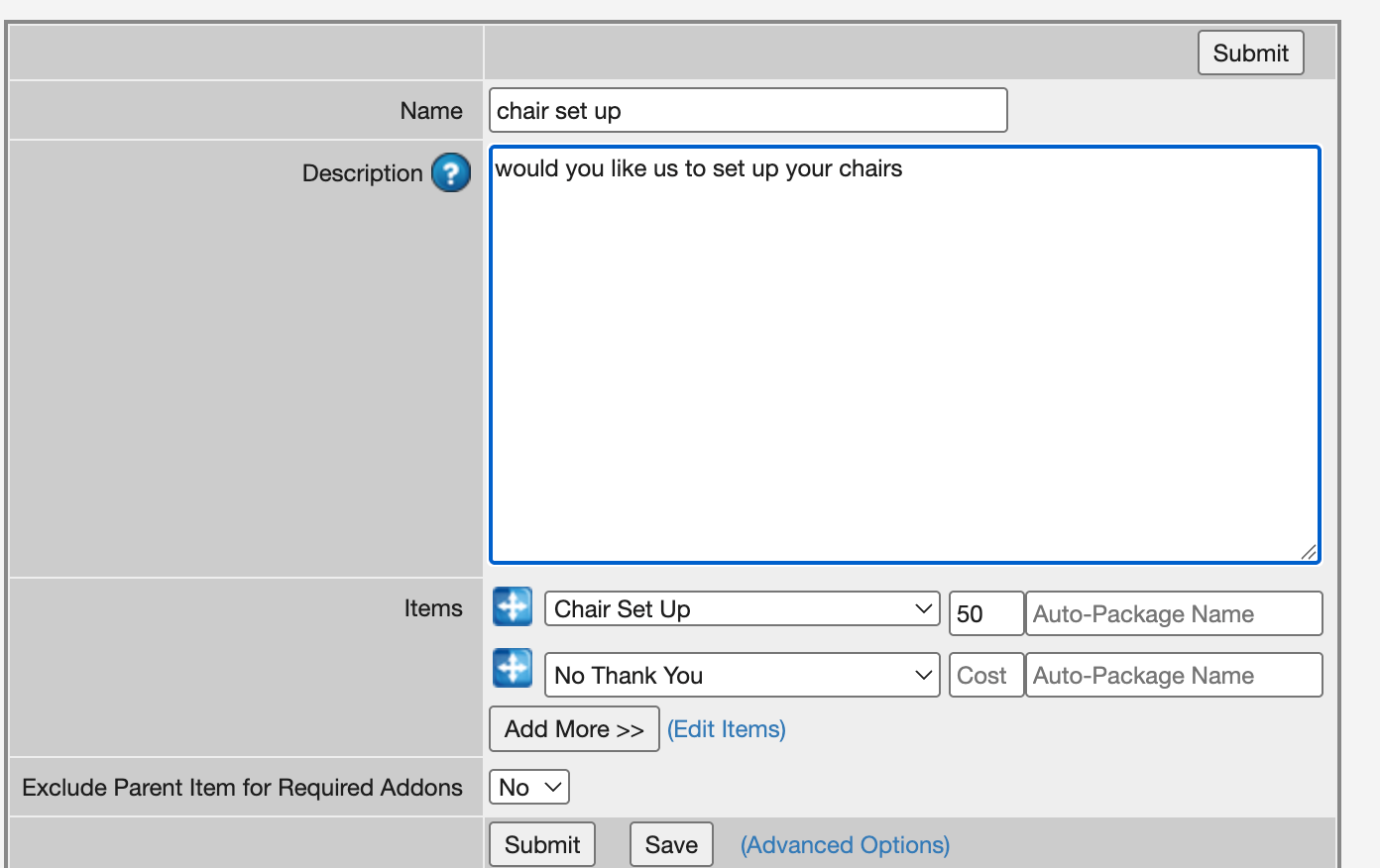
In the Items field, select both items you created earlier:
-
Chair Setup & Tear Down
No Thank You -
The next step depends on how you want to charge for the service.
Option 1: Charge Per Item
-
If you want to charge based on the number of chairs rented, leave the Cost field on the Add-On blank.
-
The system will use the price entered in the Cost field of the Setup & Tear Down inventory item.
-
For example, if the Setup & Tear Down item costs $1 and the customer rents 100 chairs, the Setup & Tear Down service would be calculated at $100 when selected.
Option 2: Charge a Flat Rate
-
If you want to charge one fee regardless of the number of chairs rented, enter the desired amount in the Cost field of the Add-On.
-
For example, entering $50 will charge the customer a $50 flat fee for the service rather than calculating the charge based on the number of chairs.
-
Once everything has been entered, click Submit.
Step 3: Attach the Add-On to the Chair
-
Finally, navigate back to:
-
Admin > Products > Items
-
Open the item you want the Setup & Tear Down option attached to. In this example, you would open your Chair item.
-
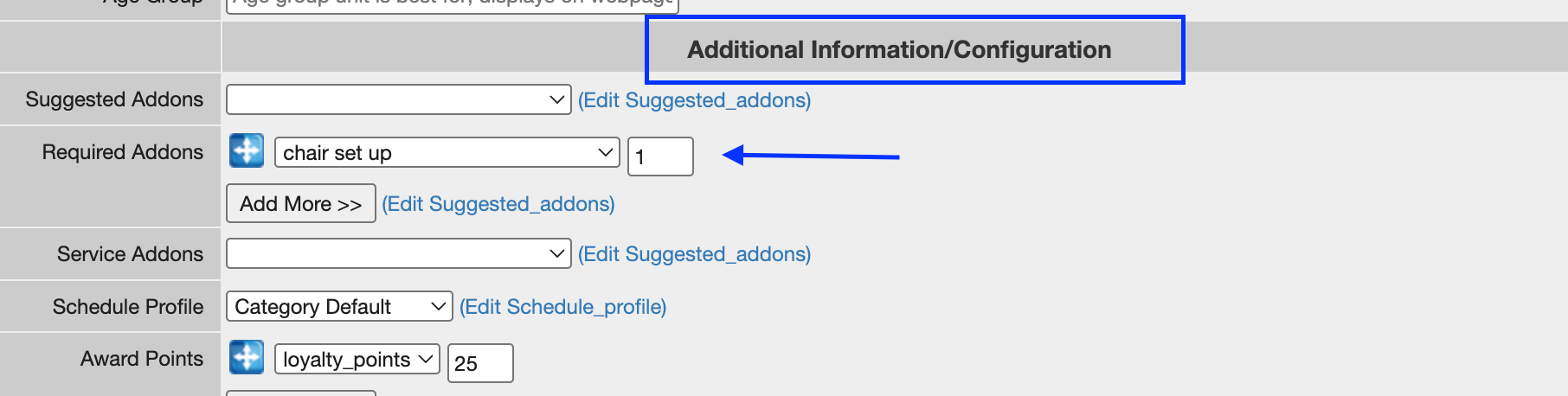
Scroll down until you see the bold Additional Information/Configuration section.
-
Locate Required Add-Ons and select the Chair Setup & Tear Down Add-On you created.
-
Set the Qty field to: 1
-
Save your changes.
The Setup & Tear Down Add-On will now display as an option when the applicable item is added to an order, allowing the customer to select the service or choose No Thank You.
Quick Reference
To charge per chair:
Enter the price on the Setup & Tear Down inventory item and leave the Add-On Cost field blank.
To charge one flat fee:
Enter the desired flat-rate price in the Add-On Cost field.
This allows you to offer the same Setup & Tear Down service while choosing whether the customer is charged according to the quantity rented or a single flat-rate service fee.